Working with Sections
Beta APIs
The Document APIs are beta. Send the EARLY-ACCESS: true header on every request shown here; without it these endpoints are unavailable. See Introduction to Documents and the Stability Guidelines.
Sections divide a document into logical groups and appear in the document content list like every other piece of content. They have a few important properties.
- All document types support sections except entry subtemplates.
- All entries and entry templates must start with a section.
- Sections must include either a date or a title.
- Sections that include dates must be in chronological order. You can place sections without a date anywhere in the document.
- Sections are never empty. If a
partsMutationcreates an empty section, the API inserts an empty text document part after it.
Section children
In Benchling, collapsing a section hides all document content that follows it. The API represents document content as a flat list, so understand the implicit relationship between a section and the content that follows it.
This also means that a partsMutation such as move or delete automatically changes which document content each section collapses.
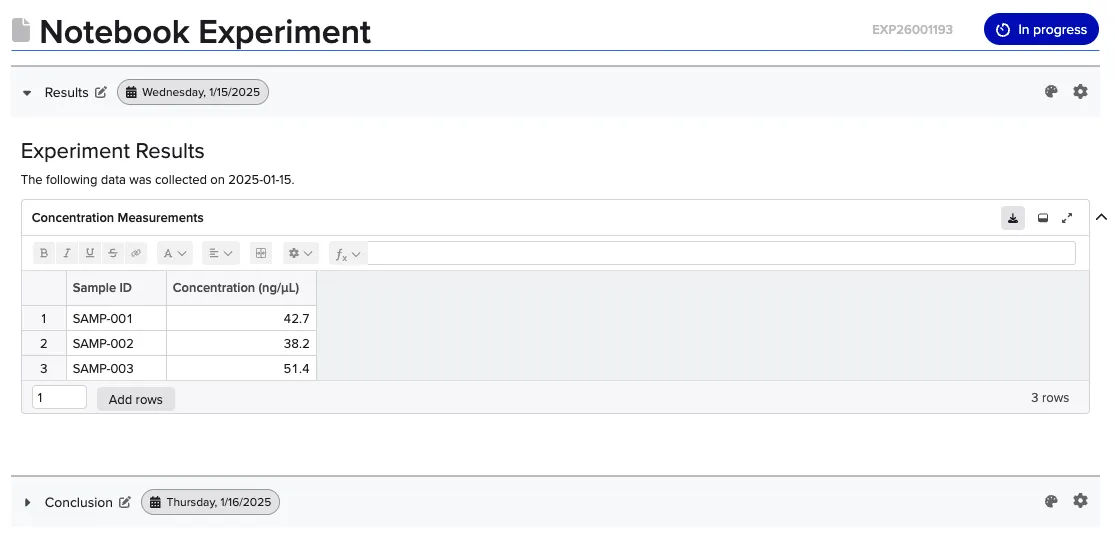
The example below shows this. Here, the Results section would collapse all content before the Conclusion section.