

Legacy Apps Overview
Benchling released a new version of the app framework in July 2024 alongside the announcement of Shareable Apps. While most tenants already support Shareable Apps, a full migration to the new framework is still in progress:
- GxP tenants do not currently have access to the new app framework. All apps on GxP tenants are legacy apps.
- All apps created on any tenant before the GA release of the new framework on July 15, 2024 are still legacy apps.
At some point in the future, all apps across all tenants will be migrated to the new app framework automatically. Until then, this guide covers the key differences between the two frameworks and what to consider when working with legacy apps.
App definitions and installations
For legacy apps, there is no distinction between an app definition and an app installation. All apps on a tenant appear both under Connections > Apps and under Feature Settings > Developer Console > Apps.
In the new framework, definitions and installations are distinct. A user should never be able to modify an app owned by another tenant, so apps that are installed but not owned by the tenant do not show up in the Developer Console.
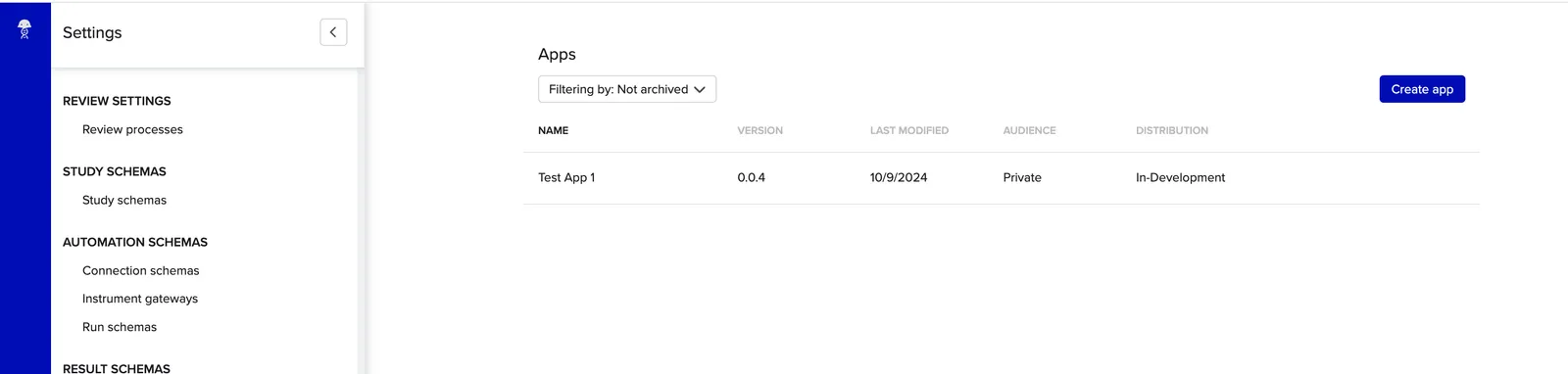
What appears in the Developer Console is the app definition.
Installed apps not owned by the tenant only appear in the App Workspace under Connections > Apps:
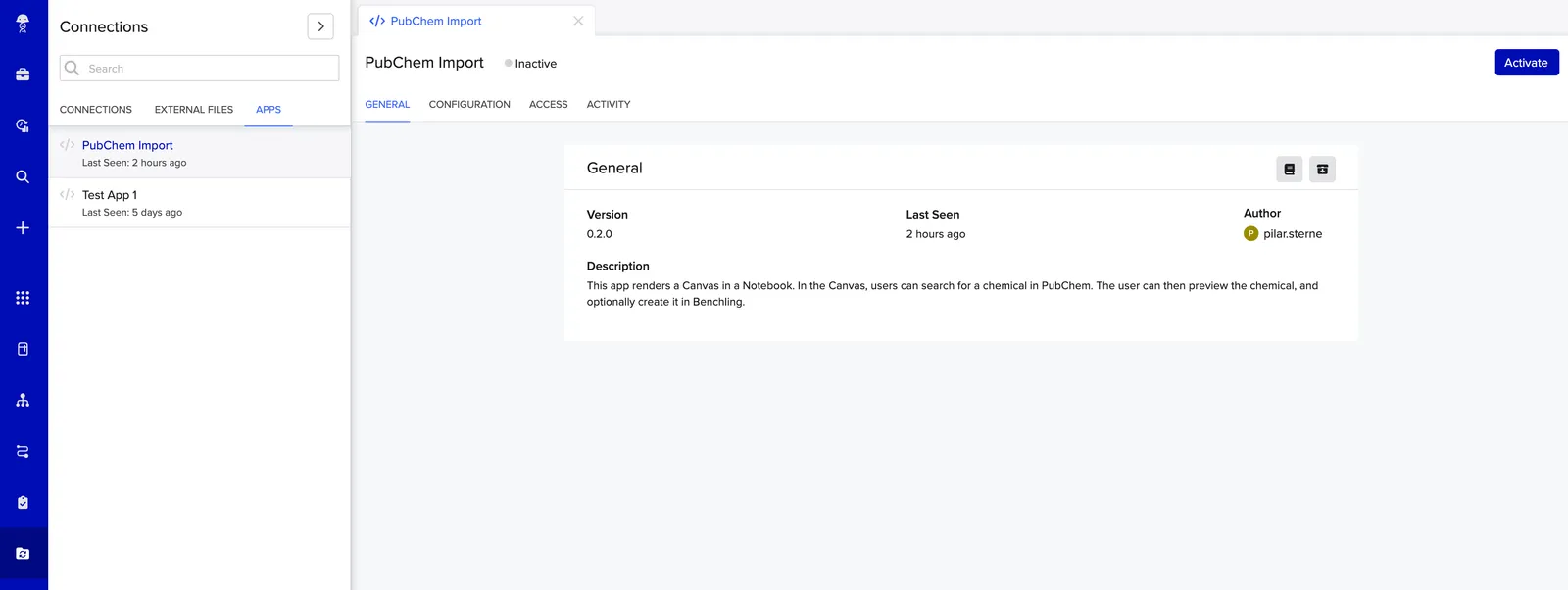
An app that appears in the App Workspace is the app’s installation.
This distinction also matters when interacting with apps programmatically. Legacy apps only
have an app_id, which covers both the definition and the installation. Non-legacy apps
have both an app_definition and an app_id, where the app_id refers to the app
installation.
App credentials
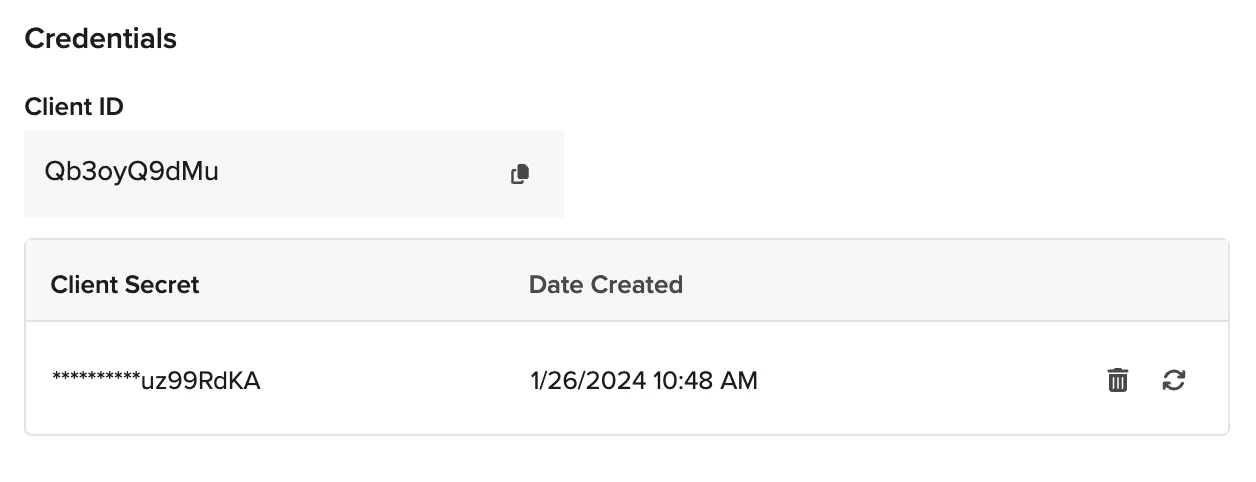
Credentials for legacy apps look and work differently from new app credentials.
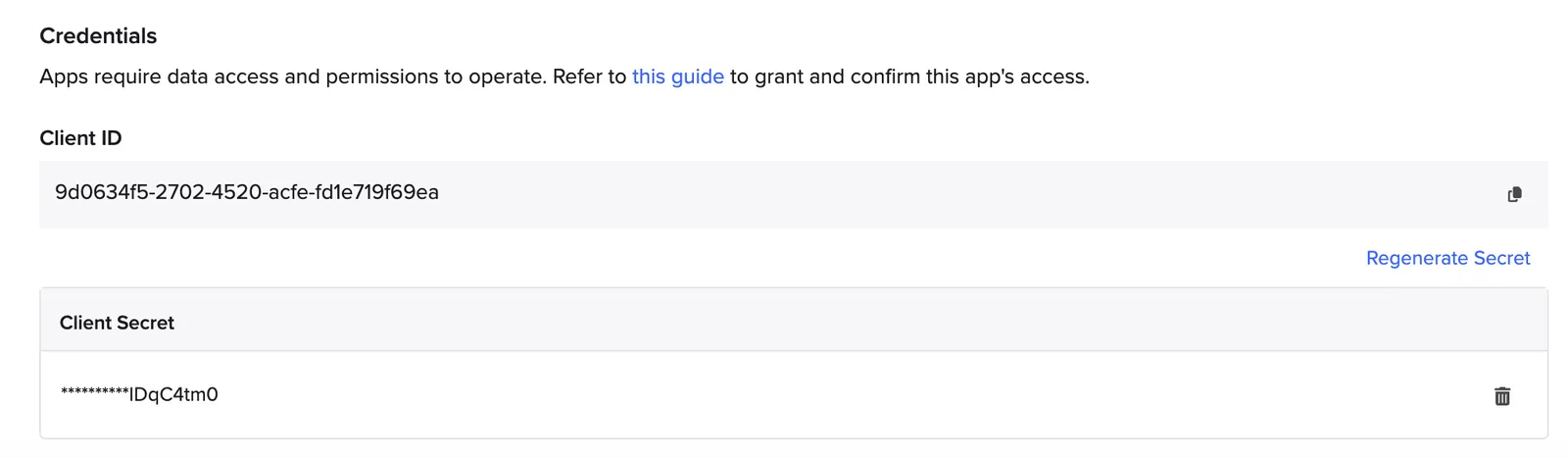
Legacy app credentials are generated per tenant and cannot be used to generate tokens for any other tenant.
The client ID for new apps is shorter, and the ID and secret can generate a valid token for any installing tenant, including the home tenant.
App versions
App versioning is not available for legacy apps. There is no “Version History” tab for them.
Legacy apps can still be updated via the legacy manifest APIs. Uploading a new manifest for a specific app via the API updates that app on the home tenant immediately. These updates are logged in audits, but version information is not available for them.
If a legacy app’s manifest was shared with another tenant at any time, updating the manifest on one tenant does not affect installations on other tenants.
App sharing
Legacy apps do not have access to the Share feature. The only way to share a legacy app is to provide a copy of the manifest to the installing tenant, then ask them to share their app credentials with the developer, securely.
Webhook verification
Legacy apps using the Webhooks feature must use a
different JWKS URL to
verify webhooks coming from Benchling. For legacy apps, use
https://benchling.com/apps/jwks/{app_installation_id}.